
here’s the reality: a big part of your ad performance is just not visible. People click on your ads, visit your website, and leave without a trace. No form fills. No demo requests. No contact in HubSpot.
Those visitors are often not random. They’re companies showing buying intent. And if you can identify who they are, you suddenly have a new pool of qualified prospects, without spending a cent more on ads.
But how do you know who they are?
We cover:
#1 Paid Search: do you have the complete picture?
#2 HubSpot Buyer Intent
#3 HubSpot vs. Dealfront
#1 Paid Search: do you have the complete picture?
You’ve set up your campaigns. CTR looks good, the CPC is acceptable, and conversions are coming in.
Great. But what about the rest? The people who clicked but never filled out a form?
These are not wasted clicks.
They are anonymous website visitors. People who showed interest but didn’t engage.
And they’re still valuable.
Every anonymous visit could be a company actively exploring your solution. You just haven’t connected the dots yet. It could well be, that these companies are genuinely interested but your website is lacking converting power.
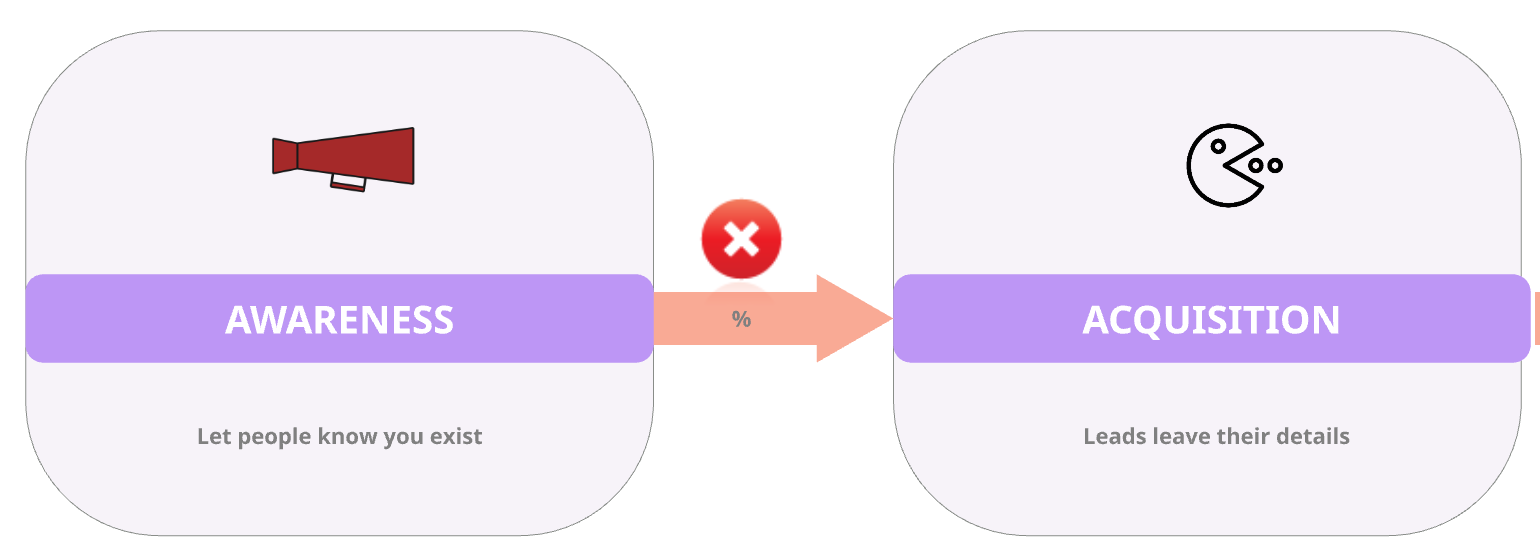
With the right setup in HubSpot, you can identify many of these visitors, and feed that intelligence directly to your sales and marketing teams to:
call the future prospects
add them to your ABM-campaign
run a cold email campaign
…

#2 Identify who clicked on your ads with HubSpot Buyer Intent
How do you get a list of companies that visited your website after clicking on a Search Ad:
All HubSpot plans now include Buyer Intent, a feature that shows which companies are visiting your website. HubSpot can collect this data if you install the HubSpot tracking code on your website.
Why is this interesting if you run Google or Bing Ads:
It allows you to link your paid ads to actual companies, even when they don’t convert.
So, instead of reporting like this:
“We created 100k impressions, of which 4% clicked on the ad. Of those 4%, 10% converted on our website. This is the list of the new 400 contacts.”
You can now say:
“We created 100k impressions, of which 4% of clicked on the ad. This is the list of all the 2.345 companies that visited our website after clicking on the ad. Of those 4%, 10% converted on our website. This is the list of the new 400 contacts.”
That’s a completely different story to tell in your next marketing report.
It’s also a far more complete picture of your pipeline.
How do you get a list of companies that visited your website after clicking on a Search Ad:
Step 1: apply filters
Buyer Intent offers multiple filters to break down who visited your websites. There are 2 main filters you want to use:
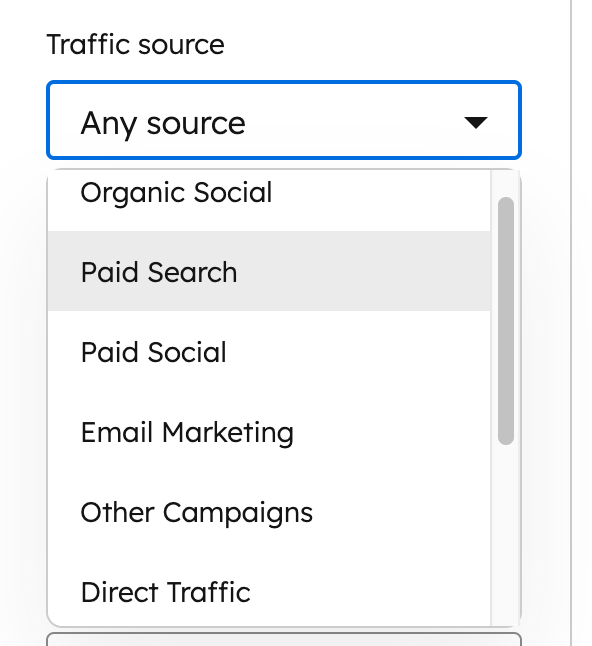
filter traffic source:
use this to only see companies that visited your website after clicking on a paid ad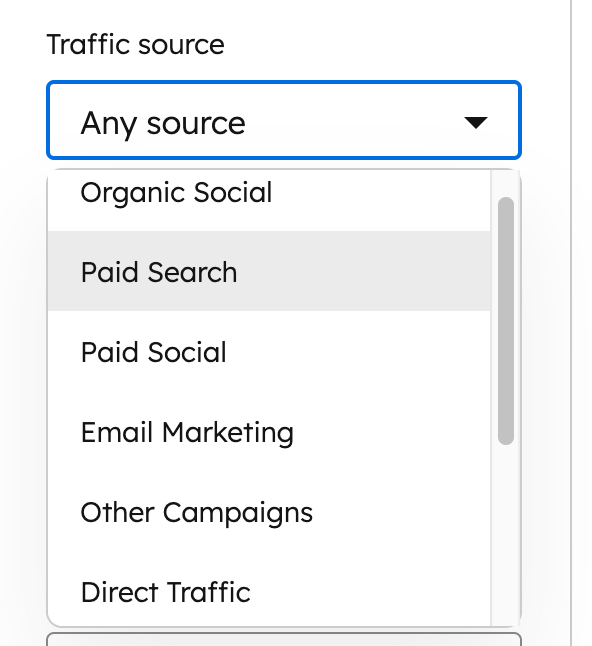
filter HubSpot CRM:
use this filter to exclude companies already in your database.
You now have a list of previously unknown companies who engaged with your ads.
Step 2: Add them to HubSpot
To take action, these companies need a record in your CRM. You can automate this using workflows or bulk actions.
HubSpot uses credits for this. HubSpot Credits is a form of payment you can use for certain usage-based features (see below for more info). On average, it takes about 10 credits to enrich one company record.
Step 3: Set the Original Traffic source
Automatically add companies to HubSpot using a workflow and set the “Original Traffic Source” to “Paid Search”:
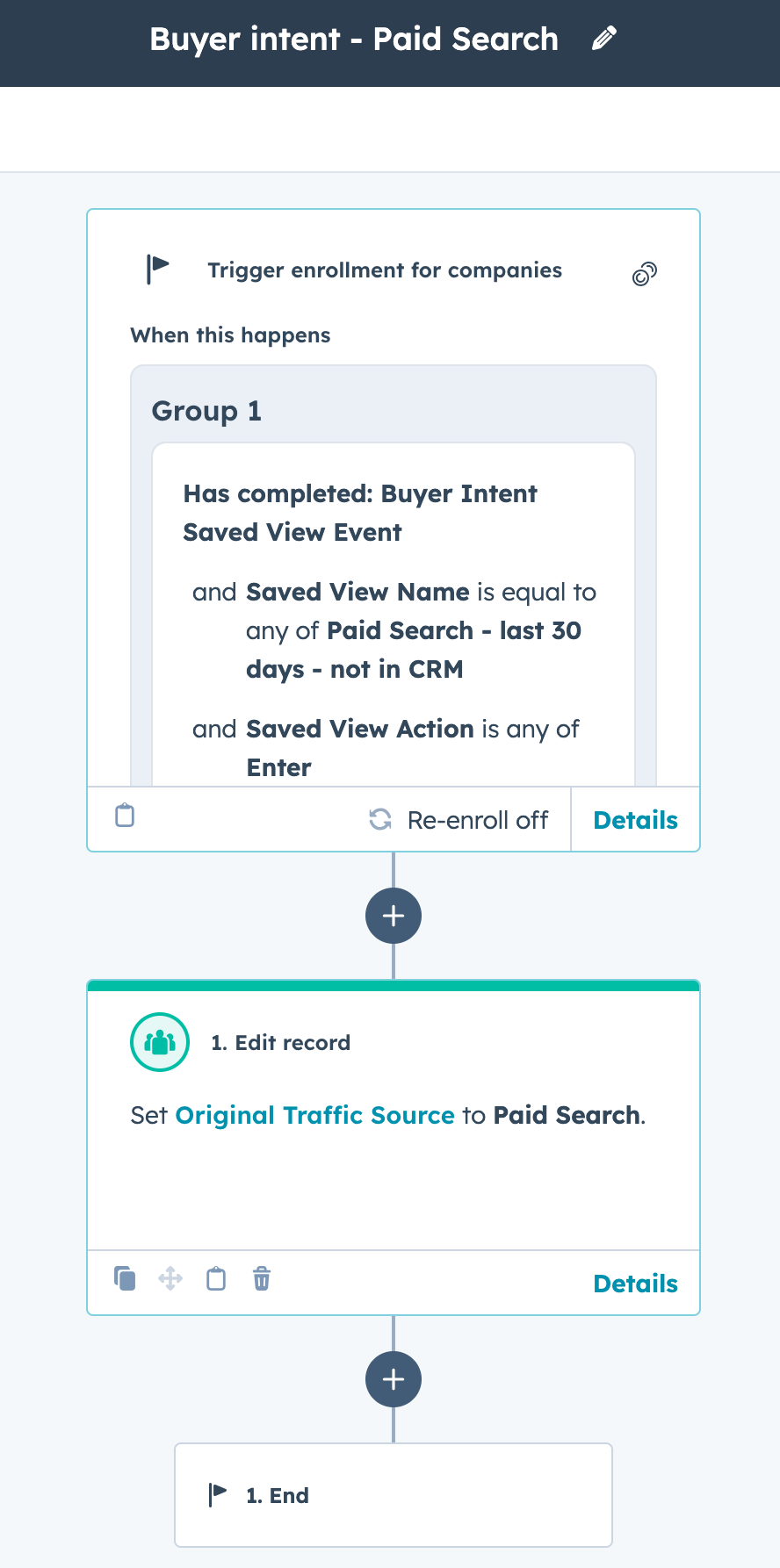
HubSpot automatically assigns a value to the “Original Traffic Source” property based on how a contact first interacted with your website. Since this value is set by HubSpot and can’t be overwritten, it’s best to leave it as is.
If you want to track additional traffic sources — for example, specific Google Ads or campaigns that brought a visitor back to your site — create a custom property (e.g., “Enhanced Original Source”) and log that information there. This way, you can preserve HubSpot’s built-in data while still capturing more granular insights from your ads.
Step 4: Build a list of companies & report
Once you’ve enriched the data, create a list of these companies and report on them.
This list is gold for your marketing and sales team, perfect for ABM, retargeting, or personalized outreach.
#3 Tools: HubSpot vs. Dealfront (Leadfeeder)
Until recently, I used Dealfront (used to be known as Leadfeeder) to identify which companies visited our website.
If you need to pick a winner, I would say HubSpot wins.
Let’s find out why.
#1 Reason : HubSpot detects better
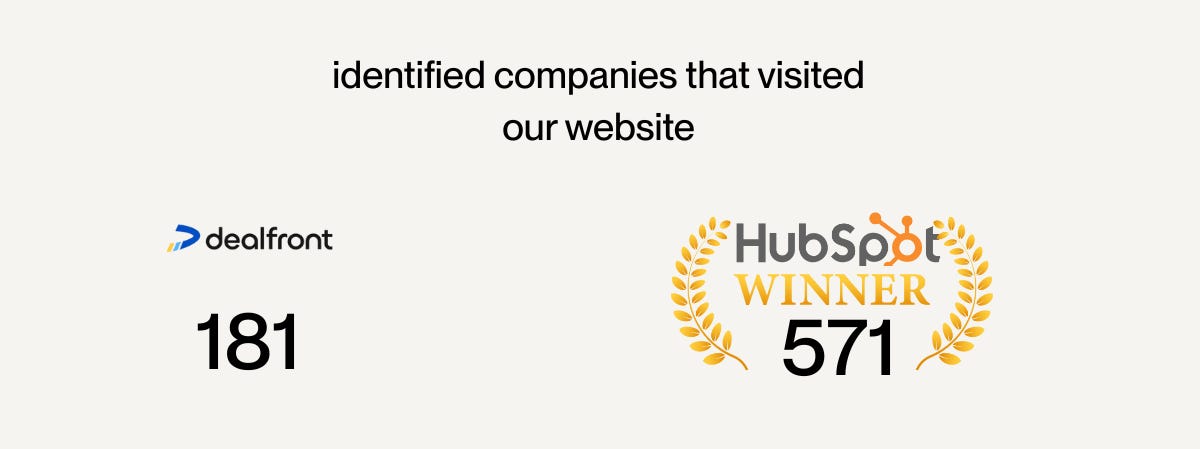
Over the same period, HubSpot identified 571 companies compared to 181 companies Dealfront identified.
That is 215% more companies detected by HubSpot!
A possible explanation is that the website used for this test is hosted on HubSpot, and this deeper integration advantage results in more hits.
Strangely, Dealfront identified companies that HubSpot didn’t recognize and vice versa. If you want a more complete list of companies that visited your website, use both tools.
#2 HubSpot is less expensive (but …)
HubSpot Buyer Intent is included in all plans and hubs.
You might think that is very generous of HubSpot, but it’s not totally free.
Here is how it works:
In HubSpot, you can see the companies that visited your website.
Great!
🔒 But this is only useful if you do something with it (like sending them a sequence of emails or calling them and logging this call in HubSpot). To do this, you need to create a company record, and this is only possible by using HubSpot credits. In average, it requires 10 credits to enrich 1 company record.
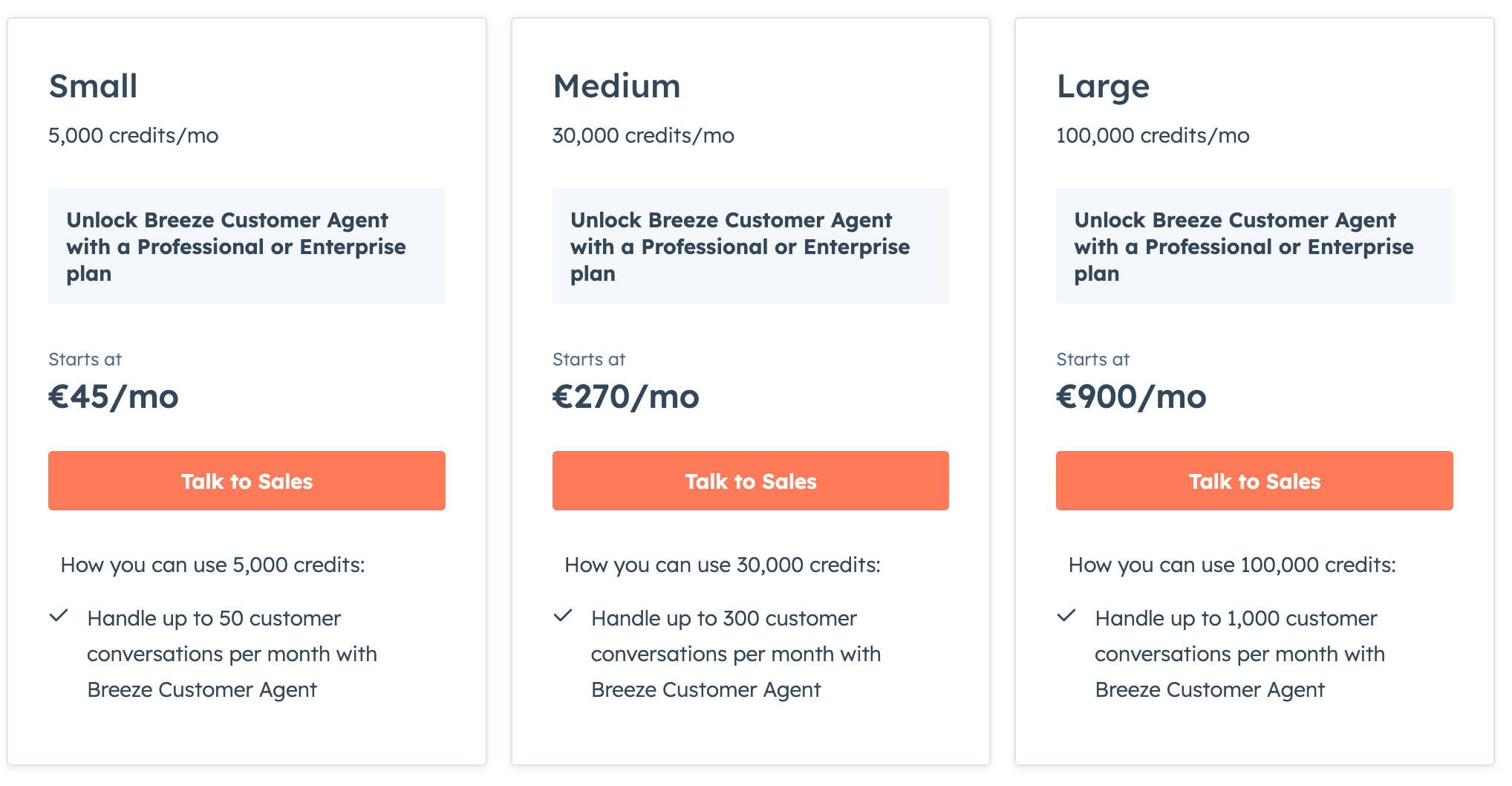
Depending on your plan, you have HubSpot credits included. If you need more, you need to pay for it.
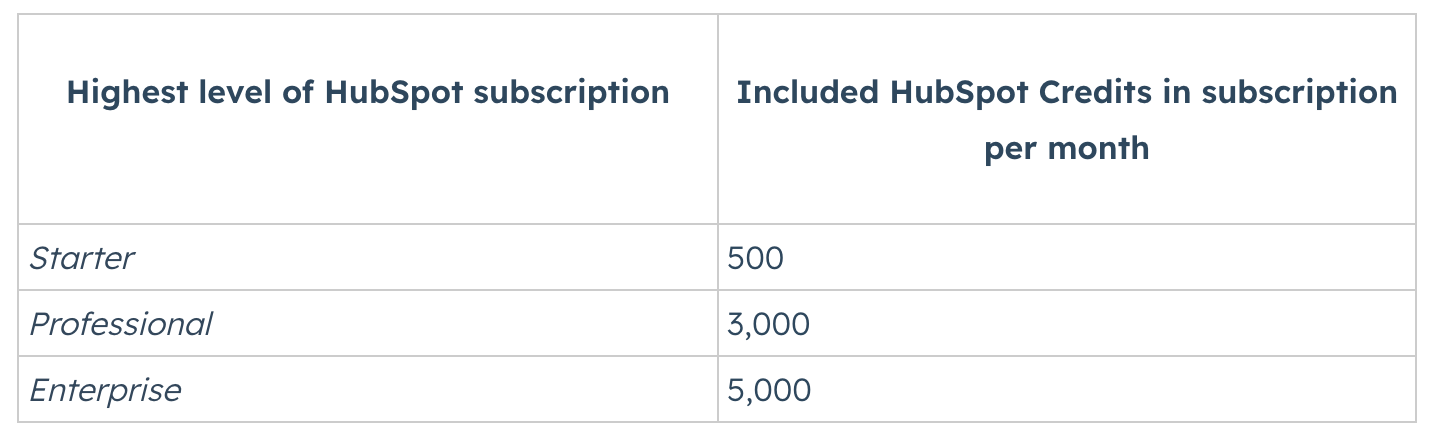
Enriching a company record requires on average 10 credits (this can vary and there are ways to limit the number of credits your spend).
If 1.000 companies visit your company, you will need to spend 10.000 credits for just adding them to your HubSpot as a company record.
#3 HubSpot: all-in-one
Having everything in one tool, rather than switching between different platforms, is an obvious advantage.
Plus, It’s very easy to give people access to buyer intent.
You don’t need to add them to yet another tool with another UX/UI and explain how it works.
#4 Where Dealfront wins
However, Dealfront still wins in one important area: contacts.
HubSpot shows companies.
Dealfront shows people.
It is nice to know which companies visited your website, but you also want to know who to reach out to.
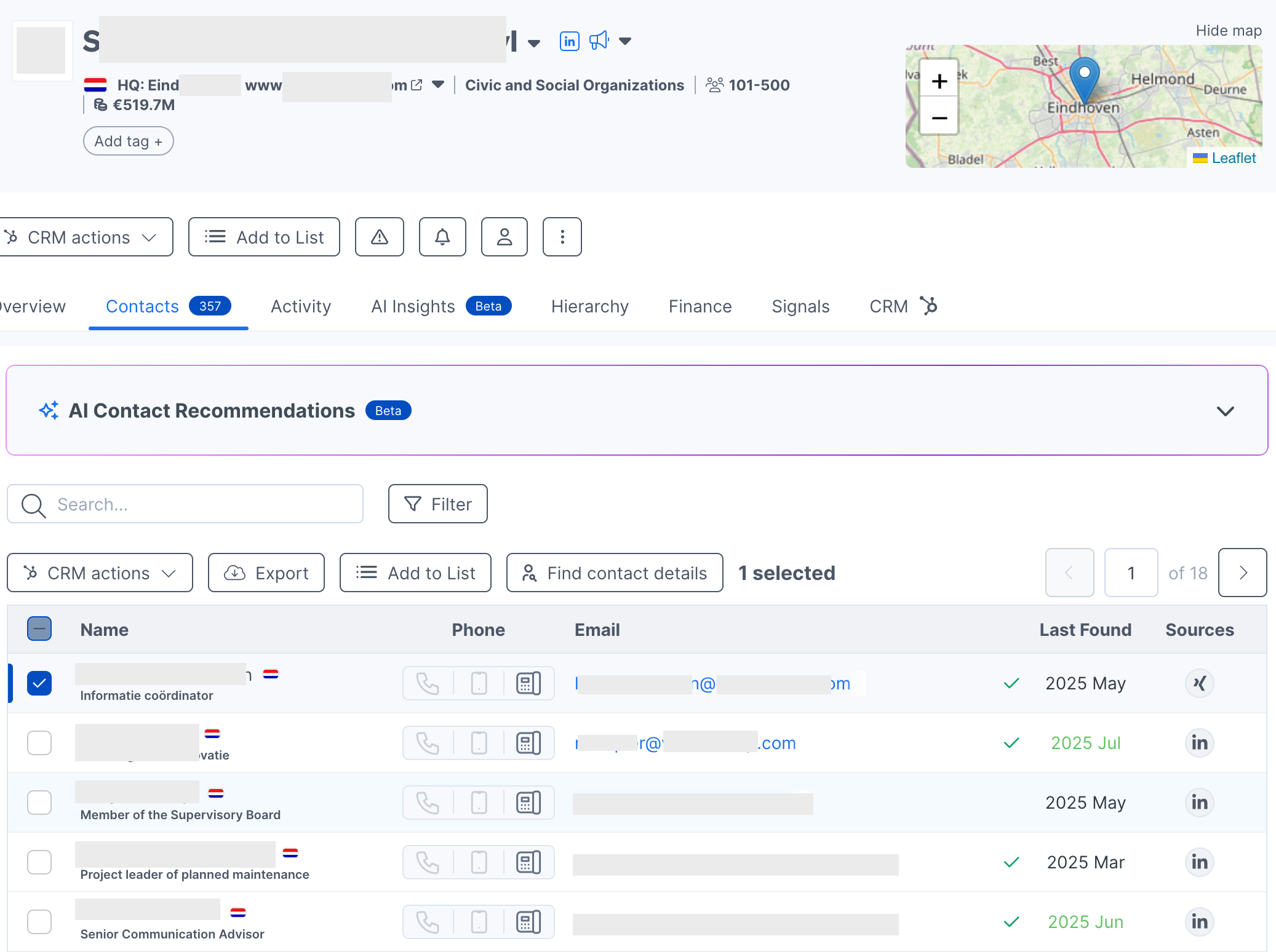
When you open Dealfront, you can select a company that visited your site and immediately see who works there, with names, job titles, phone numbers, and LinkedIn profiles. You can push those details into HubSpot with one click.
That’s incredibly useful when your goal is direct outreach. Especially in the EU, where you can’t see personal visitor data for privacy reasons, Dealfront helps you bridge that gap legally through public data.
Of course, HubSpot has workarounds — like pushing lists to Apollo or enrichment tools — but that adds steps.
So here’s the simple truth:
HubSpot gives you an overview.
Dealfront gives you precision.
Together, they give you a complete growth view.
The growth takeaway
Most marketers still measure success by conversions.
Growth leaders want to measure potential.
Those “invisible clicks” on your ads are not lost leads.
They’re early signals — proof that your campaigns are driving interest, even if it’s not yet showing in form fills.
HubSpot Buyer Intent helps you capture that signal.
Dealfront takes it one step further by revealing the people behind it.
Together, they help you stop guessing and start growing.
So next time you look at your Google Ads report, don’t just ask:
“How many converted?”
Also ask:
“Who visited, and why haven’t we followed up yet?”
That’s how you turn ad spend into opportunity.
That’s how you move from marketing reports to revenue reality.